
NEWYou can now listen to Fox News articles!
Your phone holds a running record of your life. It can reveal private messages, photos, financial records and location history. That explains why some people turn to extreme security tools. One of them is a secret phone wipe code that erases stored data when someone enters a secondary passcode. However, using that feature during a federal inspection can create serious legal trouble.
An Atlanta man now faces a felony charge after a special passcode allegedly erased his Google Pixel while U.S. Customs and Border Protection officers were trying to inspect it. Prosecutors say he knowingly destroyed digital property that the government had lawful authority to seize. His attorneys dispute that account. They argue that agents detained him unlawfully and had no valid authority to take the phone.
The unresolved case puts personal privacy and border security on a collision course. It also shows how quickly a phone protection feature can become the center of a federal prosecution.
New! Free live CyberGuy class: Protect Your Money From Today’s Biggest Threats
Join us Saturday, Aug. 29, at 10 a.m. ET for a free CyberGuy LIVE class covering five simple steps to help defend yourself against AI scams, fraud, identity theft and financial hacks. Kurt “CyberGuy” Knutsson will explain how to set up bank alerts, strengthen your account logins, protect your phone number, freeze your credit and help secure your retirement savings against unauthorized transfers. No technical experience is needed. You’ll also receive our financial protection checklist, and every registrant will get a link to the class recording afterward.
Reserve your free spot today at CyberGuyLive.com.
UK SPY POWERS DRAW US SCRUTINY OVER ALLEGED APPLE ENCRYPTION BACKDOOR DEMAND
A Google Pixel displays GrapheneOS, the privacy-focused operating system at the center of the federal phone-wipe case. (Kurt “CyberGuy” Knutsson)
How a secret phone wipe code led to a federal charge
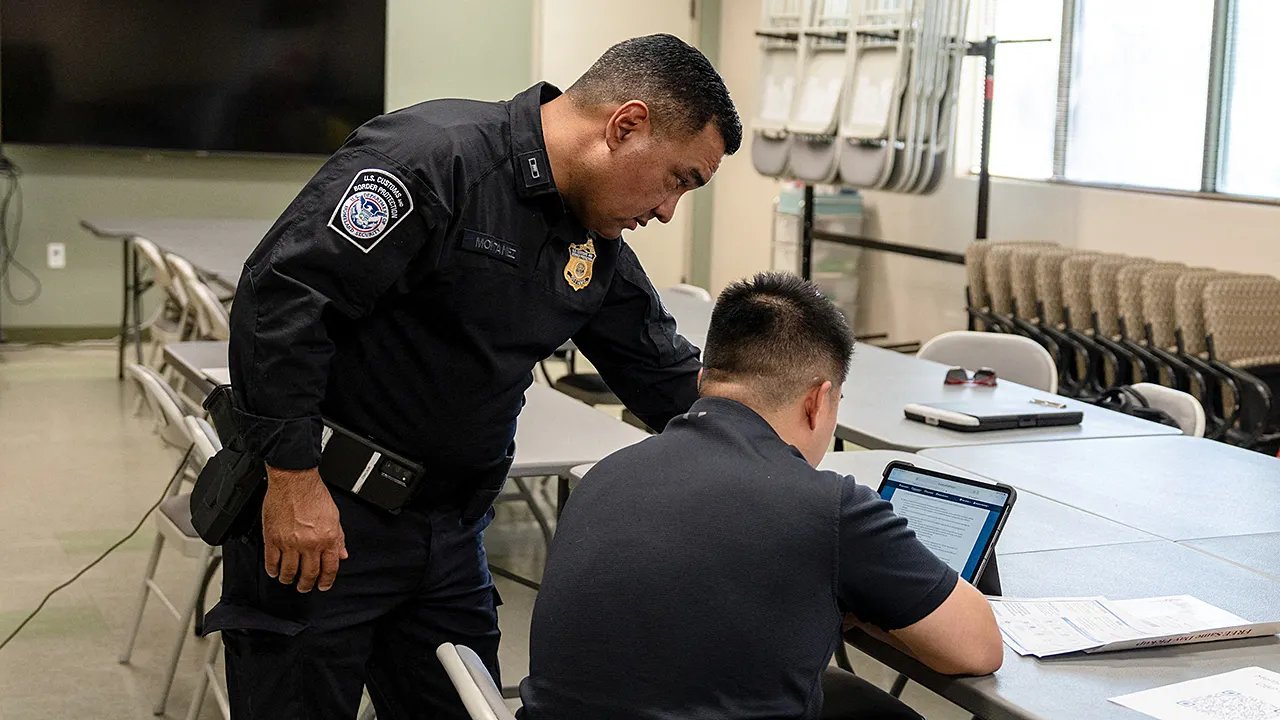
Samuel Tunick, a U.S. citizen who lives in Atlanta, returned from a vacation in the Dominican Republic on Jan. 24, 2025. CBP officers directed him to a secondary inspection area at Hartsfield-Jackson Atlanta International Airport. During the encounter, agents took possession of his Google Pixel and asked for its passcode.
Tunick allegedly supplied a code that did not unlock the phone. Instead, an officer entered it and triggered a complete wipe. According to court filings described in published reports, the screen went dark, flashed several times and appeared to restart. The phone remained physically intact, but its stored data was gone.
Federal authorities later allowed Tunick to enter the country. A grand jury indicted him on Nov. 13, 2025, under a rarely used federal law covering the destruction of property to prevent a government seizure. Tunick pleaded not guilty. The charge remains an allegation, and the court has not decided whether the government’s seizure was lawful. The case appears to be among the first publicly reported federal prosecutions centered on a phone’s duress wipe feature.
How the GrapheneOS duress passcode wipes a phone
Tunick’s Pixel reportedly ran GrapheneOS, an open-source operating system designed to increase privacy and security on supported Google Pixel phones. GrapheneOS replaces the standard operating system. It does not work like a regular Android app.
One optional feature lets the phone’s owner create a duress PIN or password. This credential differs from the code that normally unlocks the screen. When someone enters the duress credential, GrapheneOS immediately and irreversibly wipes the device. The process also removes installed eSIMs.
GrapheneOS says the wipe does not require a reboot and cannot be interrupted after it begins. The code works anywhere the operating system requests the device credentials, including the lock screen. The feature could help someone facing a violent thief or another coercive situation. Yet using it during a government search raises a separate legal question. Installing GrapheneOS or setting up a duress passcode is not the crime alleged in this case. Prosecutors are focusing on when Tunick allegedly used the feature and what he intended to accomplish.
Why a phone wipe during a border search may be a felony
Federal prosecutors charged Tunick under 18 U.S.C. Section 2232(a). The law applies when someone knowingly destroys, damages or takes another action against property to prevent the government from lawfully taking custody of it.
The statute can apply at any point surrounding a search or seizure. A conviction carries up to five years in federal prison and may also include a fine. The government appears to view the physical phone as a container. The stored information represents the property agents wanted to inspect and preserve.
According to the indictment, Tunick knowingly caused the contents of his Pixel to be deleted. Prosecutors allege that he acted to prevent the government from taking control of that information. The charge does not require prosecutors to prove that the phone contained evidence of a separate crime. The immediate issue involves the alleged destruction and Tunick’s intent when he supplied the code.
However, the statute only applies when the government acts under lawful authority. That requirement sits at the center of the defense’s challenge.
ARE APPLE DEVICES SPYING? WHAT YOUR IPHONE TRACKS
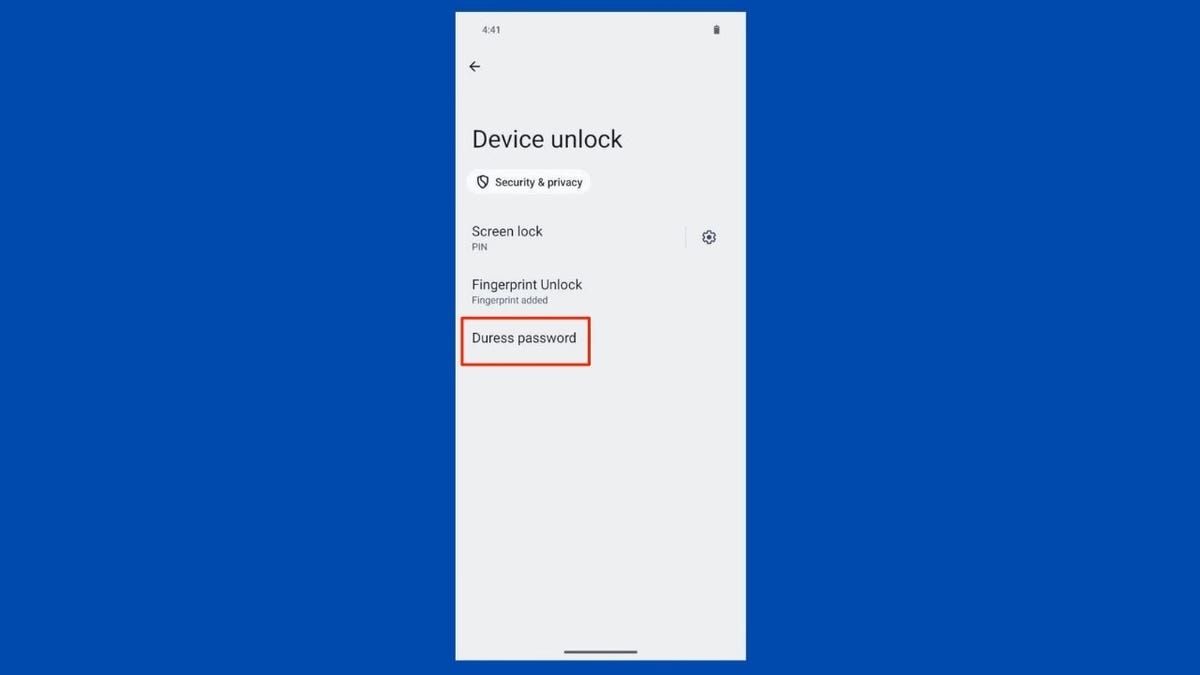
GrapheneOS lets owners create a duress password that can trigger an immediate and irreversible wipe of the device. (Kurt “CyberGuy” Knutsson)
Why the defense says the border phone search was unlawful
Tunick’s attorneys argue that CBP officers violated his constitutional rights during the airport encounter. They claim agents detained him without a warrant, denied his requests to speak with an attorney and failed to advise him of his rights. The defense has asked the court to suppress statements and evidence connected to the inspection.
His attorneys also allege that agents used concerns about illegal material as a pretext to examine his connections to the movement opposing Atlanta’s police and fire training facility. Opponents commonly call the facility Cop City. Tunick has participated in activism against the project, according to his defense team.
These remain defense allegations. Prosecutors dispute the claim that the airport encounter was unlawful and argue that officers acted under their border inspection authority. Magistrate Judge Christopher C. Bly held an evidentiary hearing on July 20, 2026. As of today, the court had not ruled on Tunick’s motion to suppress. Therefore, Tunick remains presumed innocent unless prosecutors prove the charge beyond a reasonable doubt.
What authority CBP has to search phones at the US border
Federal officers have broader search authority at an international border than police usually have elsewhere in the country. The border-search exception allows the government to inspect travelers and their belongings as they enter the United States. International arrival areas inside airports serve as ports of entry for this purpose.
CBP says electronic-device searches can help officers investigate national security threats, child exploitation, smuggling and other violations enforced by the agency. CBP divides phone inspections into basic and advanced searches.
During a basic search, an officer manually reviews information stored on the device. An advanced search involves connecting external equipment that can copy or analyze its contents. Under CBP’s current directive, an advanced search requires reasonable suspicion of an activity that violates a law enforced by CBP or a national security concern. A senior manager must also approve it.
However, federal courts have not adopted one uniform nationwide standard for every phone search at the border. The legal protection can depend on the search method and the federal jurisdiction where the inspection occurs. That uncertainty leaves travelers with fewer clear answers than they might expect.
Can you refuse to unlock your phone at the U.S. border?
A U.S. citizen cannot be denied entry solely because CBP cannot inspect a locked electronic device. Still, refusing access may extend the inspection. Officers can also detain the phone if a passcode or encryption prevents them from examining it.
CBP says a traveler must present a device in a condition that allows inspection. Its policy also states that U.S. citizens will not be denied entry solely because officers cannot inspect the device. Foreign visitors face different risks. Refusing to cooperate may affect whether CBP admits them to the United States.
Meanwhile, courts continue to wrestle with questions involving compelled passcodes and biometric unlocking. The answer may vary by jurisdiction and circumstance. Anyone carrying confidential business records or other highly sensitive material should consider speaking with a qualified attorney before international travel.
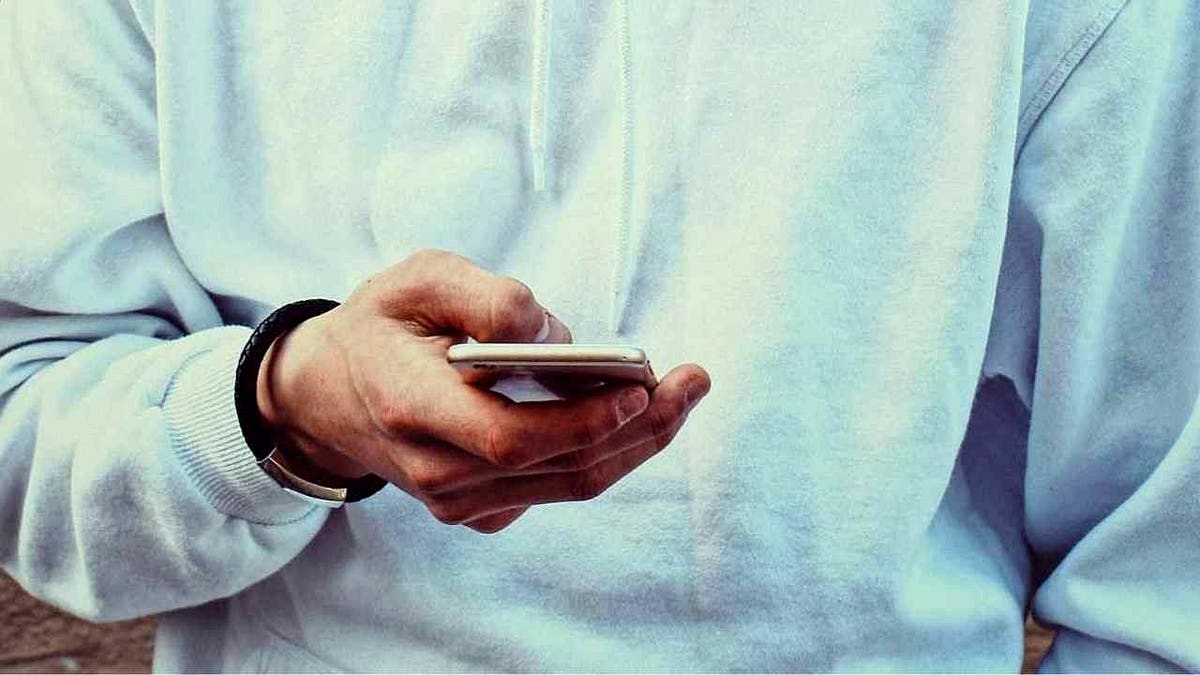
Travelers should review the sensitive information on their phones before reaching an international border inspection. (Kurt “CyberGuy” Knutsson)
Why the timing of a phone wipe changes the legal risk
Removing personal information before a trip differs from deleting data after officers have begun an inspection. You may decide at home that you do not want to carry old files or unnecessary accounts across the border. You could also use a separate travel phone that contains less personal information.
Those choices happen before government agents stop you or take possession of the device. The legal risk changes once an active inspection begins. Prosecutors may view a deliberate wipe at that point as an attempt to interfere with a search or seizure.
In Tunick’s case, his intent will likely become a major issue. Prosecutors say he provided the code while knowing what it would do. His lawyers maintain that the government lacked lawful authority from the start. The court must evaluate both sides before deciding whether the case moves forward.
How to protect your phone before international travel
The safest time to review your digital privacy is before you arrive at the airport. For a broader security checklist, read our guide on how to keep your phone safe abroad. The following steps can reduce how much personal information you carry without encouraging a confrontation during an inspection.
1) Limit the personal data you carry
Review the information stored on your phone before leaving home. Remove files that you will not need during the trip. A separate travel phone may make sense when your primary device contains sensitive business information or private communications. Keep only the apps and accounts you expect to use. You can find more ways to reduce exposed information in our guide on how to minimize your digital footprint when you travel.
2) Back up important phone information
Create an encrypted backup before your trip. Confirm that you know how to restore it. A working backup can protect your photos, documents, contacts and account records if the phone is lost or held by authorities. Also, keep essential travel information somewhere besides your phone. A printed itinerary can help if you temporarily lose access to the device.
3) Strengthen your phone’s lock-screen security
Use a strong passcode that someone cannot easily guess, and store it in a trusted password manager if needed. Avoid birthdays and repeated numbers. Turn off notification previews on the lock screen. Otherwise, text messages and account alerts may remain visible without authentication. Before leaving, review these iPhone and Android security settings that help protect your data.
4) Consider powering down before arrival
A full shutdown may place encrypted information on many modern phones into a more protected state before the first unlock. Make that decision before entering the inspection area. Suddenly powering down after an officer orders you to hand over the device could raise questions about your intent.
5) Understand what refusing access may trigger
U.S. citizens retain the right to enter the country. However, declining to unlock a phone can lead to delays or the temporary seizure of the device. The consequences may be more serious for foreign visitors. Anyone with immigration concerns should get advice based on their specific status before traveling.
6) Do not activate a wipe during an active inspection
A duress passcode may be legal to install. Using it while officers are trying to inspect or seize a phone creates a different risk. Tunick’s prosecution shows that the government may treat that action as an intentional effort to destroy property. Do not make an irreversible decision based only on what a privacy feature promises. Once a federal inspection begins, your actions can become evidence in a criminal case.
7) Request documentation if CBP keeps your phone
Ask for a receipt that identifies the device and the agency holding it. After leaving the inspection area, write down what happened while the details remain fresh. Include the time, officers’ names, questions asked and any paperwork you received. Those notes could help an attorney evaluate the encounter.
Kurt’s key takeaways
A secret phone wipe code can protect sensitive information during a dangerous encounter. The same code can lead to a federal charge when it erases data during an active government inspection. Federal officers have a legitimate responsibility to secure the border and preserve potential evidence. At the same time, your phone can expose deeply personal details about your life. The court must now decide whether agents acted within their lawful authority. It must also consider what Tunick intended when he provided the code. Until that happens, the case remains unresolved and Tunick remains presumed innocent. For travelers, preparation offers the safest path. Review your phone before leaving home and understand what may happen if you refuse a device search. A privacy choice made before a trip gives you time to consider the consequences. A wipe code activated during an airport inspection could turn a difficult encounter into a federal criminal case.
Should border officers need a warrant before searching the private contents of your phone, or should protecting the country give them broader access when you return from overseas? Let us know by writing to us at Cyberguy.com
Sign up for my FREE CyberGuy Report
- Get my best tech tips, urgent security alerts and exclusive deals delivered straight to your inbox.
- For simple, real-world ways to spot scams early and stay protected, visit CyberGuy.com – trusted by millions who watch CyberGuy on TV daily.
- Plus, you’ll get instant access to my Ultimate Scam Survival Guide free when you join.
CLICK HERE TO DOWNLOAD THE FOX NEWS APP
Copyright 2026 CyberGuy.com. All rights reserved.

