

The world of web hosting is vast and can be slightly intimidating if you’re wondering where to start.
Hostinger is a name that many of us will have come across thanks to extensive marketing campaigns. It’s also one of the best options around and I’m a big fan. Alternatively, Cloudways seems a little more business focused at first glance, but it’s a reliable choice that’s been in operation for nearly 15 years.
It’s likely you only need one web hosting service in your life, so which do you choose? I’ve spent extensive time with both Cloudways and Hostinger to help you decide which one to commit to. I’ve compared each provider’s plans, ease of use and features.
Read more: How to create your own email domain
How I tested
I spent around 10 days using Cloudways and Hostinger. That included signing up for each web host plan and evaluating how easy it was to get started. I launched a website going through each process to see how well it worked. I also looked at additional features to determine whether the host has plenty of expansion potential. You can see my full testing criteria at the end of this article.
Read more: Best web hosting services, tested by an expert

Cloudways
Cloudways is clearly designed for more technically minded users. It provides lots of insight into your server and how well it’s running while using terms that may not be immediately obvious to novices to web hosting. Away from uploading your site, WordPress integration is also a key focus. There are multiple plug-ins and add-ons across the board. Its pricing schemes scale well so that there are inexpensive plans for beginners (albeit not quite as cheap as Hostinger) with some very high end plans for major website hosting.
Hostinger
Hostinger is the more beginner-friendly web hosting option. It only takes a few minutes to set up and there are extensive AI-powered ways to create your website. There’s no need to already know how to develop a website from scratch as Hostinger does a good job of doing all the hard work for you. Full prices can seem expensive but Hostinger seems to thrive on regular deals that provide hefty discounts. These are even better the longer you commit to a plan.
1. Cloudways vs Hostinger: Pricing and plans
Cloudways
Pros: Three-day free trial without payment details
Cons: More expensive; small fee each month for email
Hostinger
Pros: Great deals on plans; free domain for a year
Cons: No free trial; deals can change frequently; best prices come from long-term commitments
At the time of writing, Hostinger offers some excellent deals which reduce the price of its plans. Its basic Premium package offers 20GB of SSD storage, the ability to create up to three websites and a free domain for a year, all for £95 for two years (which works out as £1.99 per month). The next plan up – Business – is £143 for two years (the equivalent of £2.99 per month) and provides 50GB of NVMe storage (which is faster than standard SSD) and the option to create up to 50 websites as well as providing support for five managed Node.js web apps.

The ultimate hosting plan is Cloud Startup for £335 for two years (working out as £6.99 per month) which increases NVMe storage to 100GB and allows for up to 100 websites and 10 managed Node.js web apps. There’s also VPS hosting with the KVM 1 plan offering 1 vCPU core, 4GB RAM, and 50GB NVMe disk space for £4.99 per month, KVM 2 for £6.99 per month with 2 vCPU cores, 8GB RAM, and 100GB NVMe storage, and two more advanced packages for those who need the best performance.
These VPS plans are the best thing to compare with Cloudways’ offerings, with plans only payable in US dollars rather than UK pounds. Cloudways’ most basic plan – Micro – costs $14 per month and provides you with 1GB RAM, 1 vCPU, and 25GB NVMe storage. The Small plan costs $28 per month with 2GB RAM, 1 vCPU, and 50GB NVMe, with other plans scaling accordingly. So, it’s certainly pricier. You also need to pay a small fee each month for email while Hostinger includes it as standard.
One big plus point for Cloudways is that it has a three-day free trial where you don’t even need to enter payment details. It states that you don’t get full service, but the only features you miss out on are the kind of things you only need once you’re committing to a longer plan. If you just want to see if the Cloudways interface works for you, this will be exactly what you need.
2. Cloudways vs Hostinger: Features
Cloudways
Pros: Scalable for higher traffic
Cons: May not be very beginner friendly; time-consuming to work with
Hostinger
Pros: Quick; Great if you’re a beginner; AI-assisted support available
Cons: Harder to scale up
Both Hostinger and Cloudways offer a huge amount of different features. Each web hosting service is highly accomplished with what you prefer mostly coming down to your technical ability and what you want to look at.
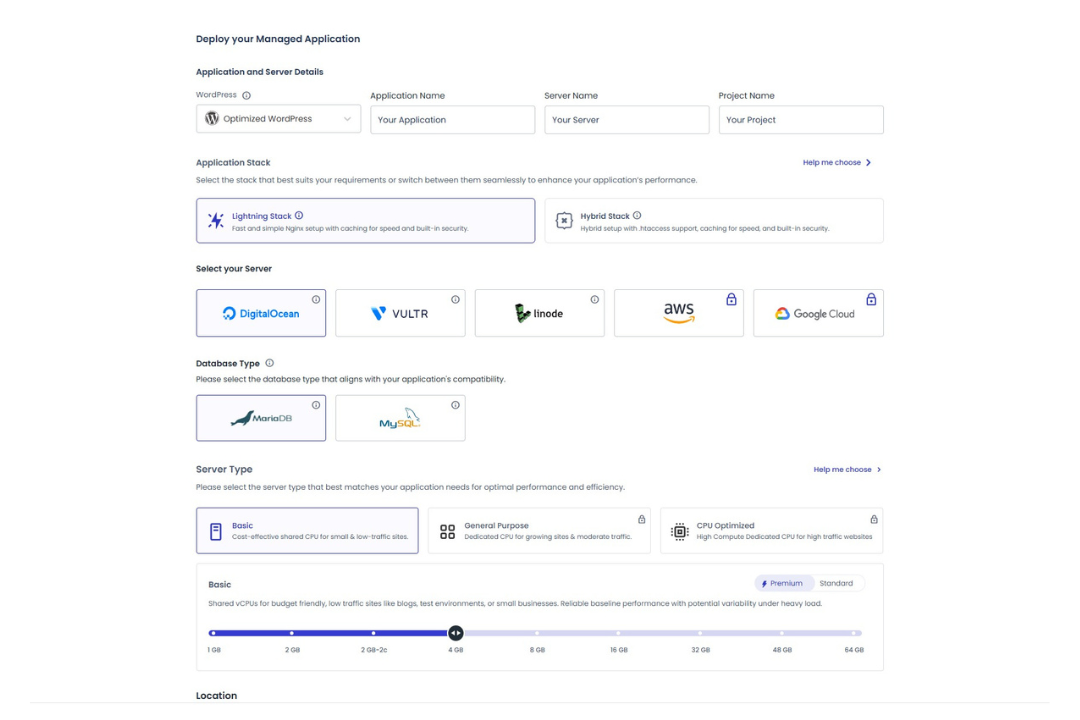
Hostinger leans heavily on its beginner-friendly interface. It can get very complex if you want it to, given the company offers VPS hosting and self-hosted n8n for those who want more than just simple web hosting. It’s a similar story for Cloudways, with more jargon and more of a focus on ‘deployment’ – which is a fancier way of saying ‘launch your website’.
Hostinger breaks things down according to ability level. You can upload your own code and website or deploy a Node.js web app to do the work for you. You can also opt for the simpler solution of setting up a WordPress-based site using Hostinger’s website builder, or you can use Hostinger Horizons which is a full AI solution. The latter simply asks for some prompts from you and does the nitty gritty stuff while you wait. If you don’t know how to code a website yourself or even design it, then Horizons will soon get you all set with an online presence.
In contrast, Cloudways has you either setting up a WordPress-based site or uploading your website/code. Unusually, I never found a web file manager for Cloudways – meaning you’ll need separate software to upload your files and site. Setting up your WordPress site is pretty simple though, with some basic plugins ready installed and a nice foundation for getting things just how you want them. Expect to devote some good time to the process though as there’s little hand-holding like there is with Hostinger.
There are pros and cons to these two methods. If you’re used to designing and coding your own site, you’ll be pleased to see how easily you can see the performance of your Cloudways server while Hostinger focuses more on the content. It’ll still conveniently give you a PageSpeed Insights test from Google at any point though.
Both offer extensive security features such as free SSL certificates – although you should look out for optional extras that feel more essential such as Cloudways charging for malware protection and Hostinger Reach – its AI-powered email marketing service which comes at a small price. Spend some time truly thinking about what your website or business needs from its web hosting and price it up accordingly.
Ultimately, I found Hostinger the quicker solution. If I wanted to code my own site, that might be a different matter but as someone who wanted to save time and effort, Hostinger was hard to fault on this front. Its plain language approach certainly benefits it there, but Cloudways’ scalability is admirable for those users with lofty goals.
Cloudways also allows you to choose your cloud provider with the best options predictably costing the most. If you’re hosting a high-traffic website, Cloudways offers a ton of choices here. Each may require advanced knowledge, but it’s logical that you have that if you’re managing a significant presence online.
3. Cloudways vs Hostinger: Ease of use
Cloudways
Pros: Great for uploading a website from elsewhere
Cons: Not much help with the design; slow to set up
Hostinger
Pros: Easy to get to grips with; great if you have no experience with design or coding; clear layout
Cons: Layouts could be more aesthetically pleasing; not everyone needs (or wants) AI features
Hostinger is the more simple-to-use web hosting service of the two. Its dashboard starts you off with a to-do list that gives some guidance, as well as key security reminders like asking you to add your phone number, verify your email, and other simple (but easy to forget) tasks. From that same dashboard, you can add or create a website, manage your domain portfolio, email accounts and any VPS you may also have signed up for.
There’s a lot of information that could look confusing but Hostinger keeps it simple and easy to glance at. Adding/creating a new website is clearly laid out, avoiding using jargon to get you where you need to go.
In contrast, Cloudways is very tech focused. The dashboard helps you find usernames and passwords ready for you to upload files to your website but it’s light on assisting with design. The focus here is on setting up a WordPress-based site, but even that feels a little trickier to get around.
As someone who’s used a lot of web hosting over the years, I knew what I was doing but Hostinger is more straightforward and able to help if you lack creative skills and coding ability. On the other hand, Cloudways is a good option if you just want a place to easily upload your existing website or migrate content from elsewhere, plus there’s no sign of AI-assisted support anywhere. This is something that some people will see as a huge advantage.
There’s one small point to note when starting out. Setting up my new hosting package with Hostinger only took a couple of minutes, while with Cloudways it took seven minutes before I could actively use my new account. Once set up, both are equally speedy but it’s something to be aware of if time is short.
4. Cloudways vs Hostinger: Support
Cloudways
Pros: Live chat to ask questions; community space to discuss with other Cloudways users
Cons: No phone or AI support
Hostinger
Pros: AI assistant is genuinely helpful; video tutorials available
Cons: No phone support
Hostinger leans further into its AI features for support. Its first port of call with any query is to ask Kodee, its AI assistant which happily lingers in the corner of your browser window at all times. It’s genuinely helpful and I was pleasantly surprised by how accurately it answered my queries.
Hostinger also has an extensive knowledge base with text and video-based queries, so most problems should be solved here. If you really need to talk to someone, you can do live chat via Kodee but there’s no phone support.
Cloudways pursues a similar path. There’s no phone support and also no AI bot, but it does have a vast knowledge base. It also has a live chat that you can dive straight into without needing to humour an AI bot. Another option is to use its community centre and discuss things with other Cloudways users.
Should you get Cloudways or Hostinger?
Both Cloudways and Hostinger are high quality web hosting services. I found them to be fast, responsive and security conscious. Where things differ is how easy they are to use. If you’re new to web hosting and launching a website then Hostinger is the better option. Its AI-assisted tools provide strong guidance, but if you just want light assistance then the WordPress setup is perfect.
In comparison, Cloudways is aimed more at uploading your own website and going from there – but it means you can maintain your server more efficiently and keep on top of things. It generally requires more advanced knowledge, but I’m a fan of the Cloudways WordPress setup for quickly getting you started.
Ultimately, which is best comes down to what you need from your web hosting provider. I’d suggest Hostinger for its simplicity, while Cloudways offers a lot of great scalability options if you’re aiming to grow your online presence over time.
How Cloudways and Hostinger were tested
While spending time with Cloudways and Hostinger, I considered certain key elements. Here’s what I thought about each step of the way:
- Ease of use: I wanted to see how easy Cloudways and Hostinger are to use. I was looking to see if they are beginner friendly while also still offering everything an advanced user needs. I evaluated the amount of technical jargon involved. I also looked at how easy it is to cancel or change a plan.
- Features: I looked at what features each web host offers and how that compares to the competition. I wanted to check that they were genuinely useful features but also how expansive they could be for sites that wish to grow over time. I wanted to make sure that no one is stuck with a limited plan.
- Value for money: I evaluated the value for money offered by each provider. I didn’t want to focus on solely the cheapest plan but the one that represented good value for what you need from it. That also involved looking at different plans and commitment periods.
- Performance: Speed and reliability is everything in a website. I checked that changes were implemented quickly and new sites were deployed rapidly. I also wanted to check that a live site was speedy to browse so that people were encouraged to look at it. Ultimately, I wanted a speedy site that rarely had any issues.
Why you can trust our reviews
Jennifer Allen is an expert in tech and websites, and writes gaming and console reviews for IndyBest. During her testing process, Jennifer evaluated everything from website building features and changing a hosting package to value for money.
Interested in web hosting? Here’s how it can benefit your business

